Creating an effective desk setup is essential for maintaining focus and comfort throughout your workday. Whether you work from home or in an office, a well-organized and ergonomically designed workspace can improve productivity, reduce physical strain, and help you stay motivated. In this post, we’ll explore practical tips to arrange your desk for optimal comfort and concentration.
Why a Good Desk Setup Matters
Your desk setup affects more than just your posture—it influences how you feel and how efficiently you work. A cluttered or poorly arranged workspace can lead to distractions, fatigue, and discomfort. On the other hand, a thoughtfully designed desk area supports healthy habits and helps you focus better.
Choosing the Right Desk and Chair
Desk Height and Size
Pick a desk that suits your height and allows enough space for your computer, peripherals, and any essential documents. A standard desk height is usually around 28 to 30 inches, but this can vary based on your stature. Adjustable desks or sit-stand desks give you flexibility to change positions throughout the day, which can reduce fatigue.
Ergonomic Chair
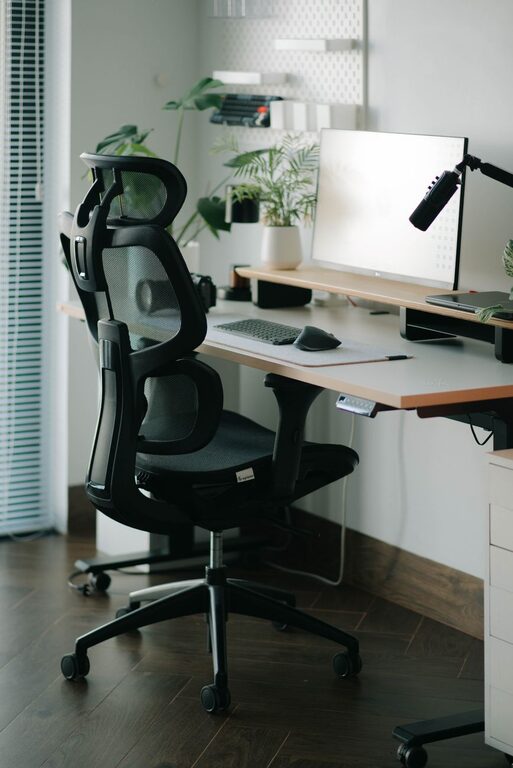
Invest in a chair that supports your lower back and encourages good posture. Look for adjustable features such as seat height, backrest angle, and armrests. A comfortable chair can prevent back pain and improve your overall comfort during long work sessions.
Position Your Monitor Correctly
Eye Level and Distance
Place your monitor so that the top of the screen is at or slightly below eye level. This alignment reduces neck strain. Keep the monitor about an arm’s length away to avoid eye fatigue. If you use multiple screens, arrange them in a slight curve to minimize head turning.
Reduce Glare and Lighting Issues
Position your desk near a window if possible, but avoid direct sunlight on your screen. Use adjustable blinds or curtains to control natural light. Consider an adjustable desk lamp with warm light to reduce eye strain during evening hours.
Organize for Efficiency and Minimal Distractions
Declutter Your Desk
Keep only frequently used items on your desk, such as your keyboard, mouse, notepad, and a few pens. Store other supplies in drawers or organizers. A clutter-free workspace helps reduce mental distractions and improves focus.
Cable Management
Use cable clips, sleeves, or trays to keep cords organized and out of sight. This not only makes your desk look tidy but also prevents cables from getting tangled or damaged.
Enhance Comfort with Accessories
Keyboard and Mouse Placement
Place your keyboard and mouse close enough to avoid overreaching. Your forearms should be roughly parallel to the floor when typing. Consider using a wrist rest if you experience wrist discomfort.
Footrest and Floor Space
If your feet don’t rest flat on the floor, use a footrest for support. Keeping your feet properly supported promotes circulation and reduces fatigue.
Add Personal Comfort Items
Incorporate items that boost your comfort, such as a small cushion for back support, a desk fan for fresh air, or a plant to brighten your space. These touches can make your workspace more inviting and less sterile.
Maintain Good Habits Around Your Desk
Take Regular Breaks
Even the best desk setup can’t replace the benefits of taking breaks. Stand up, stretch, or walk around every 30 to 60 minutes to prevent stiffness and improve circulation.
Keep Hydrated and Nourished
Keep a water bottle nearby and remember to drink throughout the day. Healthy snacks can also keep your energy steady and prevent the mid-afternoon slump.
Final Thoughts
A desk setup designed with focus and comfort in mind can transform your work experience. By paying attention to ergonomics, organization, lighting, and personal touches, you create a workspace that supports your productivity and well-being. Start with small changes, and over time, you’ll notice improvements in how you work and feel.
—
With these tips, your desk can become more than just a place to work—it can be a supportive environment where focus and comfort go hand in hand.
About the Author